Real Estate Social Media Banner Bundle: What Most Buyers Overlook and Why It Matters
If you are a realtor, property agent, or someone managing rental listings, you have likely searched for ways to create professional visuals without hiring a designer. That is where a Real Estate Social Media Banner Bundle enters the picture. These pre-built templates promise speed, consistency, and polish. Yet many buyers grab the first bundle they see, only to end up with banners that feel generic, misaligned with their brand, or technically off for the platform they are targeting. Understanding what actually makes these templates work — and where people go wrong — can save you time, money, and a fair amount of frustration.
What the Real Estate Social Media Banner Bundle Actually Offers
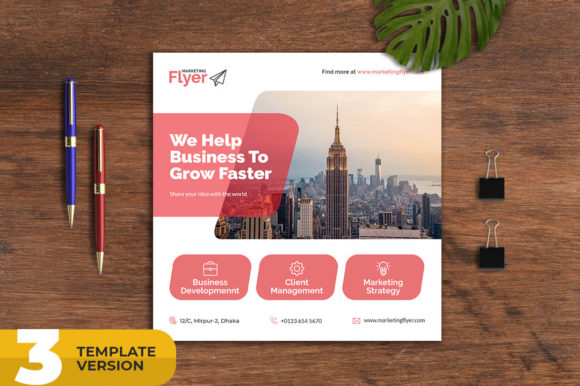
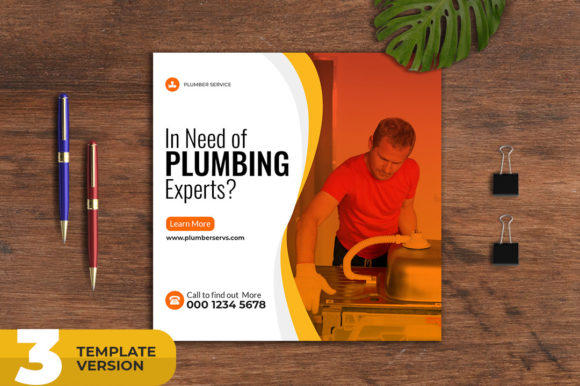
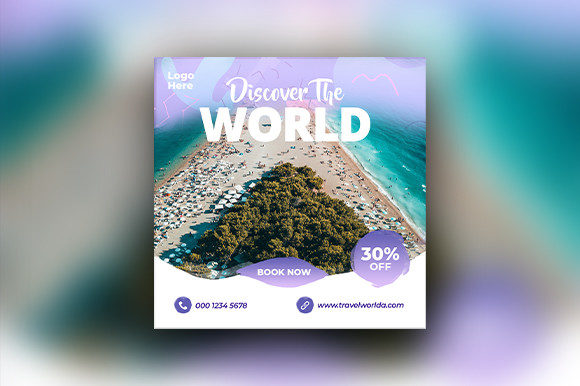
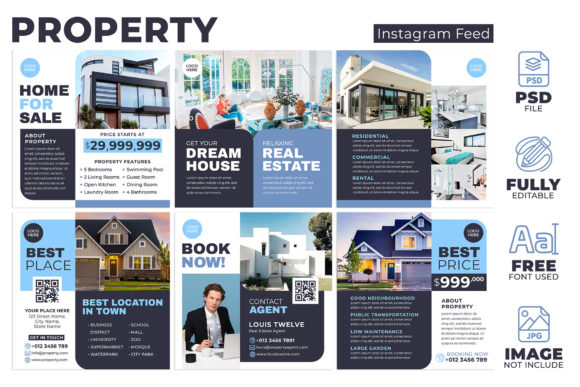
A typical bundle includes layered PSD files designed for social media posts. The ones worth your attention provide multiple template variations, smart object layers for easy image swapping, and editable text fields. The Real Estate Social Media Banner Template often comes in a 1080×1080 pixel square format at 72 DPI with RGB color, which is standard for platforms like Instagram, Facebook, and LinkedIn. That size is not arbitrary — it matches the feed-friendly square that most social platforms favor for visibility and cropping consistency.
Beyond the technical specs, the real value lies in the structure. Layered PSD files allow you to keep your original artwork intact while making targeted edits. Smart objects let you replace a property photo without disturbing the layout or effects applied around it. For someone managing multiple listings every week, this kind of efficiency matters. You can update the image, tweak the address or price, and move on to the next property in minutes rather than hours.
Common Mistake: Treating Templates as Finished Products
One of the most frequent misunderstandings is that a template is ready to use right out of the download folder. Some users simply drop in a photo and post. That approach rarely delivers the best results. A template is a starting point, not a finish line. The fonts, colors, and spacing in the preview were chosen for a general audience. Your brand likely has its own identity — a specific color palette, a particular tone in the copy, and maybe a logo placement rule.
Using a template without adjusting these elements makes your listing look like everyone else's. Worse, it can confuse potential clients who see inconsistent branding across your posts. If your logo appears in a slightly different position or size each time, you lose the visual trust that consistency builds.
- Always replace placeholder text with your own copy that reflects your tone.
- Adjust the color scheme to match your brand guidelines, not the template default.
- Check that your logo sits naturally within the layout rather than forcing it into a pre-made frame.
Overlooking Font Licenses and File Formats
Another detail that trips up buyers is the font situation. Many Real Estate Social Media Banner Bundle offerings advertise "free fonts used." That is a good sign, but it does not mean the fonts are installed on your computer. You still need to download them separately. If you skip that step, Photoshop or your editing software will substitute a default font, and your text will likely overflow the text box or look mismatched.
Also, pay attention to the file format. Layered PSD files are powerful, but they require software like Adobe Photoshop or a compatible alternative. If you are using a free or browser-based editor, check that it supports smart objects and layer visibility. Some editors flatten layers on import, which defeats the purpose of having a fully editable template in the first place.
- Verify the format: If you work in a team, confirm everyone has access to software that reads layered PSD files.
- Download the fonts: The help file usually includes links. Grab them before you start editing.
- Test a small edit first: Swap one image and change one line of text to ensure the file behaves as expected.
Underestimating the 72 DPI and RGB Choice
Some users see "72 DPI" and worry about quality. That concern usually comes from print experience, where 300 DPI is standard. For social media, 72 DPI at 1080×1080 pixels is correct. The screen resolution of phones and monitors does not benefit from higher DPI in the same way print does. What matters is the pixel dimension. If you upscale a low-resolution image to fill the 1080×1080 canvas, you will notice blurring. The DPI setting is not the culprit — the source image quality is.
Similarly, RGB color is correct for digital screens. If you convert the file to CMYK, the colors will look duller on social media because CMYK is designed for printing. Stick with RGB and calibrate your monitor if color accuracy matters for your property photos.
Neglecting Platform-Specific Needs
A square banner at 1080×1080 pixels works well for Instagram feed posts and Facebook timeline posts. But LinkedIn, Pinterest, and Instagram Stories have different aspect ratios. Some Real Estate Social Media Banner Template bundles include only square variations. That is fine if you only post to the feed, but if you want to use the same design across Stories or LinkedIn banners, you will need to crop and re-center, which can cut off important elements like your logo or the property price.
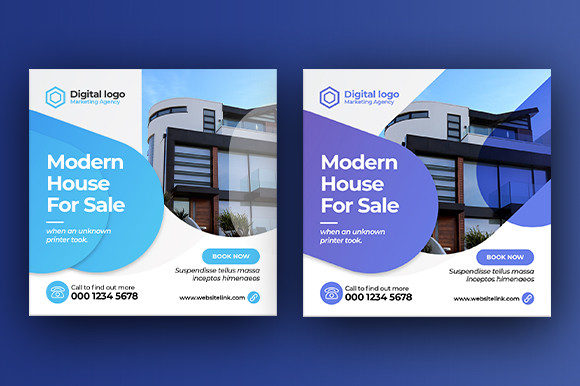
Before buying, check how many template variations are included. The bundle described includes two or three different template variations. That can be enough if they cover distinct orientations or layouts. However, if you plan to repurpose one design across multiple platforms, you may need to create custom versions for vertical or horizontal formats. The smart object layers help here — you can adjust the background and reposition elements without starting from scratch.
- Decide which platforms matter most for your business before choosing a bundle.
- Look for templates that offer at least one square and one vertical variation for Stories or Reels.
- If the bundle only includes square options, plan extra editing time for other formats.
Ignoring the Help File and Layer Organization
Many bundles include a help file, but it is often the most overlooked component. That file usually explains where to find fonts, how to use smart objects, and which layers control specific effects. Skipping it can lead to confusion when you try to edit a layer that seems locked or when a text layer does not respond to font changes.
Well-organized layers are another sign of a quality template. Look for folders labeled "Background," "Logo," "Text," and "Image Placeholder." If the layers are named clearly, you can find and edit elements quickly. If the file is a pile of unnamed layers, you will waste time hunting for the right one. The description for a good Real Estate Social Media Banner Bundle usually mentions that the PSD files are "fully layered and very easy to edit." That is not just marketing — it is a practical feature that affects your daily workflow.
Mistaking Template Quantity for Quality
More templates in a bundle do not always mean better value. A bundle with twenty poorly designed variations will not serve you as well as a bundle with three solid, well-thought-out templates. Look at the layouts. Do they include clear space for a property photo? Is the text area large enough to show a price, address, and key feature without crowding? Does the design draw attention to the property rather than the decorative elements?
A template with too many competing graphics can distract from the listing itself. Real estate is a visual business — the property should be the hero. Good templates use frames, shadows, or subtle overlays to highlight the image, not bury it. When evaluating a bundle, ask yourself: "Does this design make the property look better, or does it make the template look fancy?"
Practical Advice for Choosing and Using a Bundle
Start by listing what you actually need. If you post three listings per week on Instagram and Facebook, a square template with clean lines and editable text may be enough. If you also manage open house announcements, rental ads, and agent profile updates, you might benefit from a bundle with multiple variations that share a consistent style.
Before purchasing, check the preview images carefully. Look at the font choices, color schemes, and how the layout behaves with different photo orientations. If the preview only shows one ideal image, try to imagine how it would look with a darker property photo or a portrait-oriented shot. Some templates rely on the background image to dictate the entire mood, which can fail if your photo has different lighting or composition.
Once you have the bundle, set up a master file. Customize the colors, fonts, and logo placement on one template, then save it as a base version. For each new listing, duplicate that base file and swap only the image and text. This approach keeps your branding consistent while cutting editing time. The Real Estate Social Media Banner Template becomes a reusable system rather than a one-off design.
Finally, always preview your banner at actual size on a phone screen before posting. What looks balanced on a 27-inch monitor can feel crowded or unbalanced at 1080 pixels wide on a mobile feed. Check that the text is readable, the logo is visible, and the property image is not cropped awkwardly. That simple preview step can prevent posts that look good in the editor but underwhelm in the feed.
Why This Bundle Works for Real Estate Professionals
The Real Estate Social Media Banner Bundle is not just a collection of pretty templates. It is a workflow tool designed for people who need to produce consistent, professional visuals repeatedly. The smart object layer, the layered PSD structure, and the multiple variations all serve one purpose: reducing the time between having a new listing and posting about it. When you use it correctly — with your own branding, proper image resolution, and platform-appropriate sizing — it becomes a reliable part of your marketing routine.
For agents dealing with volume, this kind of system is a practical investment. It replaces the need to design each post from scratch or pay a designer for every listing. The templates handle the layout and effects; you bring the property photos and the copy. That division of labor is exactly what a busy real estate professional needs.
If you are considering purchasing a Real Estate Social Media Banner Template bundle, focus on the structure, the editing ease, and the fit with your specific platforms. Avoid the temptation to treat the template as a final product. Customize it, test it, and build a repeatable process around it. That is where the real value lives — not in the download itself, but in how well it fits into your daily workflow and helps you present properties in their best light.