Bohemian Canva Instagram Template: A Practical Tool for Brand Consistency
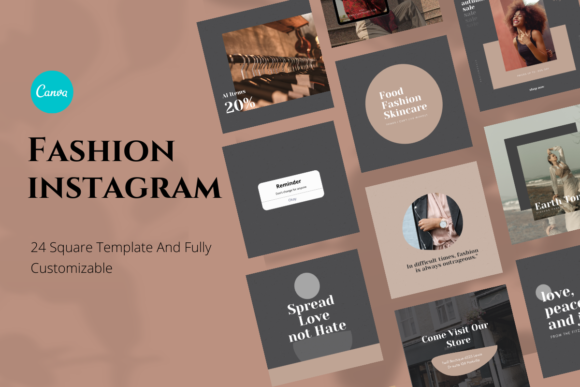
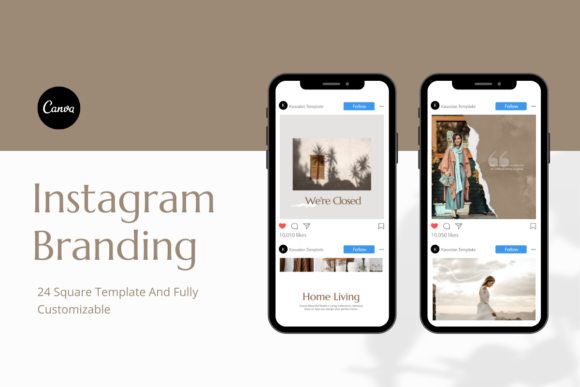
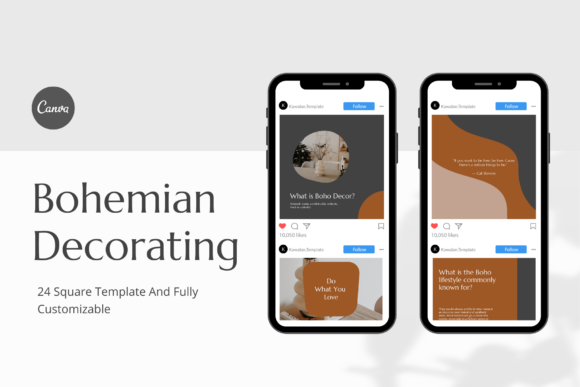
Consistency across social media is one of the most reliable ways to build recognition and trust with your audience. Yet maintaining a cohesive visual identity post after post often proves harder than it sounds. If you run a small business, coach clients, or manage personal branding, you know the tension between wanting a polished feed and simply needing to get content out the door. The Bohemian Canva Instagram Template pack is designed to resolve that tension directly. It is a set of 24 templates built on Canva, using the standard square 1080 x 1080 pixel format, and it positions itself as a practical, instant promotional kit rather than a design project in itself.
This article walks through what these templates offer, how they fit into real content workflows, and how to use them before, during, and after campaigns or routine posting. The goal is to help you integrate them smoothly into your own process without adding unnecessary complexity.
What the Bohemian Canva Instagram Template Pack Actually Delivers
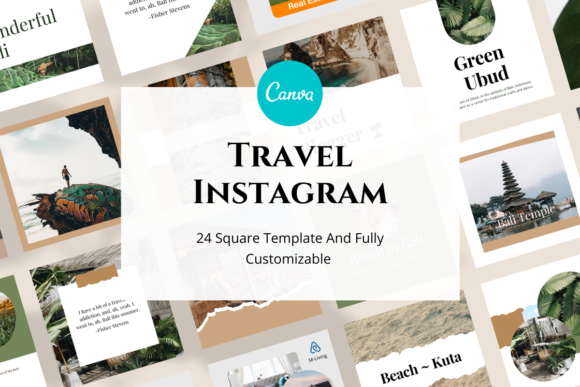
At its core, this pack gives you 24 editable Canva templates. Every template uses a square layout, which is the standard Instagram post size. You receive a PDF download file that contains a link to your Canva templates. From that point, you can open them directly in Canva using a free account—no Canva Pro subscription required. All fonts used are free Canva fonts, so there is no need to upload custom typefaces or worry about licensing restrictions.
The templates are fully editable. You can change photos, fonts, shapes, and background colors. Text is completely customizable. This means you are not locked into a specific color palette or messaging style. You can adapt each template to match your brand guidelines or the mood of a particular post. Images are not included in the pack, so you will supply your own photography or graphics. That is actually an advantage: your visuals remain original to your brand rather than recycled stock imagery.
The design style leans toward a bohemian aesthetic—think earthy tones, organic shapes, hand-drawn elements, and a relaxed, creative feel. This style works well for lifestyle brands, wellness coaches, artists, boutique retailers, and anyone whose visual identity benefits from a warm, approachable, and slightly artistic look.
Where the Templates Fit in a Broader Content Workflow
To get the most out of template packs, it helps to see them as one component within a larger content system. The broader process typically involves three phases: planning, creation, and distribution. The Bohemian Canva Instagram Template pack lives in the creation phase, but it directly influences both planning and distribution.
When you plan your content calendar, you often decide on themes, messages, and visual direction first. Knowing you have a set of cohesive templates ready to go allows you to plan more confidently. You can batch-create posts in one sitting because the templates remove the need to design layouts from scratch each time. This shifts your effort from tactical design decisions to strategic content decisions: what do you want to say, and which image best supports that message?
During the creation phase, you open a template, swap in your photo, adjust the text, and tweak colors if needed. Because all templates share a consistent visual language, your feed remains unified even if you pick different layouts for different posts. This consistency strengthens brand recall and makes your profile look curated without requiring a designer’s eye.
After you publish, the templates also support repurposing. If a post performs well, you can duplicate the template, modify the copy slightly, and reuse it for a related topic or a call-to-action. The square format also makes it easy to repurpose Instagram posts for other platforms that favor square images, such as LinkedIn or Facebook.
Using the Templates Before, During, and After a Project
The phrase “before, during, and after” might sound like a marketing cliché, but in practice it maps cleanly onto real workflows. Let me break down how this template pack applies at each stage of a typical content project.
Before a Campaign or Product Launch
Preparation is where most of the strategic thinking happens. If you are planning a launch, a seasonal campaign, or a new service offering, you need a set of promotional posts that feel connected. The Bohemian Canva Instagram Template pack gives you a foundation to build on. Start by selecting three to six templates that match the campaign tone. Duplicate them so you have a dedicated campaign folder inside Canva. Then, before you even create final graphics, map out which template will carry which message. This pre-work saves you from scrambling for design ideas when deadlines loom.
You can also involve team members or collaborators at this stage. Because the templates live on Canva, you can share the folder link with a copywriter, a photographer, or a social media manager. Each person can contribute their part—text, images, final review—without needing design software beyond a browser.
During Active Content Creation
When you sit down to create posts, efficiency matters. Open a template, drag your image into the photo placeholder, and highlight the text boxes to update them. If your brand uses specific hex codes for colors, you can apply them to backgrounds, shapes, or text with a few clicks. The free Canva fonts mean you never have to pause to upload or activate a font family. This speed is valuable if you manage multiple client accounts or run a content-heavy profile.
Batch creation becomes straightforward. Set aside one hour, prepare ten images and ten captions in advance, and then cycle through the templates. By the end of the hour, you have a week or more of posts ready to schedule. This workflow reduces decision fatigue and keeps your posting consistent even during busy periods.
After a Campaign or Event
Post-campaign analysis often reveals that you need follow-up posts—thank-you messages, recap highlights, or user-generated content shoutouts. The same template pack can handle these without breaking visual continuity. Because the templates are editable, you can adjust colors to reflect a different mood or use a layout designed for quotes to share testimonials. Having a flexible system in place means you never have to start from zero when the campaign phase ends.
Practical Implementation Tips
Integration into your routine requires more than just opening the templates. Here are specific ways to make the pack work for you on a practical level.
Establish a Master Template Set
Before you create any posts, take time to customize one template completely to your brand. Set your primary and secondary colors, upload your logo as a small element, and choose the font combination that feels most aligned with your visual identity. Then duplicate that customized template for all 24 layouts. This ensures every design starts from a brand-aligned base, and you only need to adjust per-post elements like images and text.
Create a Content Folder in Canva
Canva allows you to organize designs into folders. Create a folder named after your brand or project, and move all 24 templates there. You can also create subfolders for different content categories, such as “quotes,” “promotions,” “tips,” and “behind the scenes.” This organization saves time when you need a specific layout quickly.
Pair with a Scheduling Tool
Once your templates are populated with final content, export each post as a PNG or JPEG. Upload them to a scheduling platform like Later, Buffer, or Meta Business Suite. Plan your posting times and captions there. The templates give you the visual asset; the scheduler handles distribution. Separating these tasks keeps each part of the workflow manageable.
Maintain a Visual Consistency Checklist
Before publishing, run through a quick checklist: Are all fonts consistent across recent posts? Do colors match your brand palette? Is the image quality high and cropped appropriately for the square format? The templates reduce the likelihood of inconsistency, but a final check catches small errors like leftover placeholder text or mismatched tones.
How the Templates Interact with Other Tools and Assets
No template pack exists in isolation. The Bohemian Canva Instagram Template pack interacts with several other elements of your workflow.
- Your image library: Since images are not included, you need a source of original photos. This could be a folder on your phone, a shared Dropbox with a photographer, or a stock photo subscription. The templates work best when your images share a consistent editing style—similar lighting, color grading, and subject matter.
- Your brand style guide: If you have documented brand fonts, colors, and voice guidelines, keep them open while editing the templates. Apply those specifications directly to each template so every post reinforces your brand rather than diluting it.
- Your content calendar: A calendar tool—whether a spreadsheet, Trello, or Asana—helps you plan which template goes with which topic. Sync your calendar with your Canva folder so you can quickly locate the right template when it is time to create.
- Collaborators: If you work with a virtual assistant, a graphic designer, or a content strategist, share the Canva folder link. Set permissions so they can edit or comment. This turns the template pack into a shared production hub rather than a personal tool.
Long-Term Use and Scalability
Template packs are not just for newcomers. Even as your brand grows, the Bohemian Canva Instagram Template pack can scale with you. The 24 layouts provide variety, but you can also create new designs by mixing elements from different templates. For instance, take the background shape from one layout and combine it with the text arrangement from another. This extends the pack far beyond its original count without requiring new design skills.
Over time, you may refine your aesthetic. The templates’ flexibility means you can update your master template set whenever your brand evolves. A color shift, a new logo, or a different font choice can be applied across all templates in minutes. This adaptability makes the pack a long-term asset rather than a one-time purchase.
For agencies or freelancers managing multiple clients, the pack can be used as a starting point for each client’s visual system. Duplicate the templates into separate client folders, then customize each set to match that client’s branding. The bohemian style works particularly well for clients in wellness, creative services, hospitality, and lifestyle niches. Having a go-to template pack reduces the time you spend on client setup and lets you focus on content strategy instead.
Practical Observations on Usability and Quality Control
From a usability standpoint, the templates are straightforward. The PDF contains a clickable link that takes you directly to the Canva templates. There is no need to unzip files or navigate complex downloads. Because the templates use free Canva fonts, you avoid font mismatch errors that sometimes occur when premium fonts are unavailable on another user’s account. Editing is done entirely through Canva’s drag-and-drop interface, which is familiar to most content creators.
For quality control, export each design at the highest available resolution within Canva. The 1080 x 1080 pixel size matches Instagram’s recommended dimensions, so your images should display crisply on both mobile and desktop. Before scheduling, view each post in a mock feed or on your phone to check how it looks alongside your other recent posts. The template pack’s cohesive style helps here, but variations in image brightness or color temperature can still create subtle mismatches. A quick visual scan prevents inconsistencies from reaching your audience.
Final Thoughts on Integrating the Bohemian Canva Instagram Template Pack
The Bohemian Canva Instagram Template pack is best understood as a workflow enabler. It does not replace strategy, copywriting, or photography. What it does is remove the repetitive, time-consuming part of layout design so you can focus on message, audience, and timing. Whether you are preparing for a launch, maintaining a steady posting rhythm, or scaling a small brand, these templates give you a reliable visual structure that adapts to your needs.
By organizing your templates, pairing them with a scheduling tool, and keeping your brand assets accessible, you integrate them smoothly into your existing routine. The result is a feed that looks intentional and consistent without demanding hours of design work each week. That efficiency is the real value of a well-made template pack, and it is exactly what this set delivers.