Travelling Instagram Template: A Practical Toolkit for Coaches, Creators, and Small Businesses
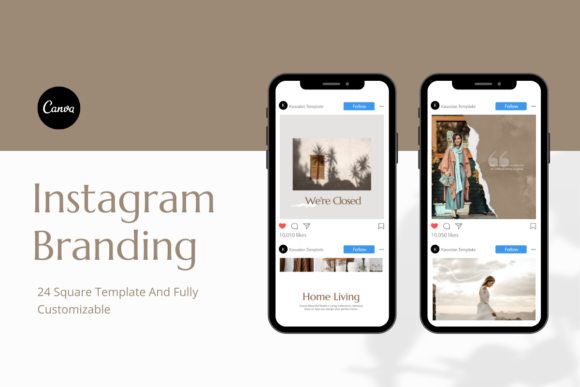
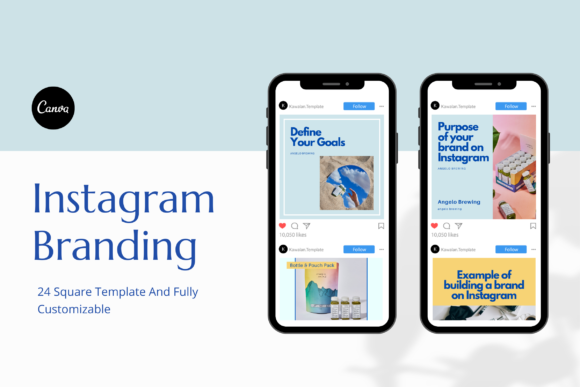
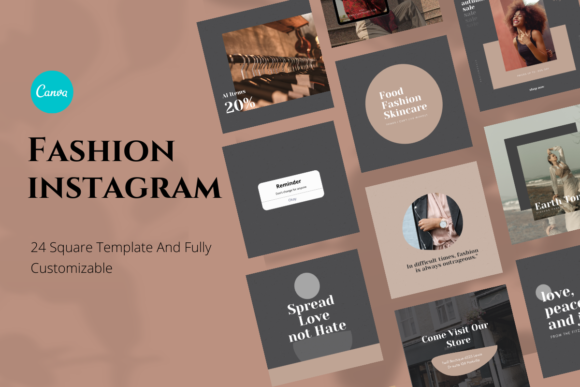
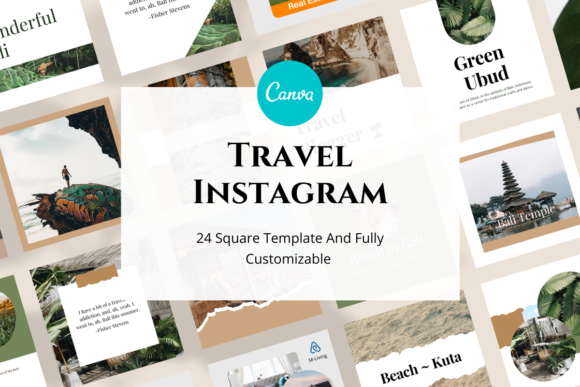
If you have ever stared at a blank Canva canvas wondering how to make your travel content look polished without spending hours on design, you already know the struggle. The Travelling Instagram Template pack is built for exactly that moment. It is a set of 24 square Canva templates designed specifically for anyone who needs a quick, consistent, and attractive visual identity on Instagram. Whether you are a coach posting from a co-working space in Bali, a small business owner sharing behind-the-scenes shots from a trade show, or a blogger documenting a weekend road trip, this pack gives you a ready-made structure so you can focus on your message instead of worrying about fonts and alignment.
The templates use a 1080 x 1080 pixel square format, which is Instagram's standard post size. That means no cropping surprises, no awkward spacing, and no last-minute adjustments. Every template comes with fully editable text, easy-to-swap photo placeholders, and editable colours and backgrounds. You get a PDF file with a Canva template link, and you can edit everything using a free Canva account. No need for Canva Pro, and no need to upload custom fonts. It is designed to be opened, customised, and posted fast.
Below, we walk through where, when, and why people actually use these templates, with realistic scenarios that go beyond generic advice.
Where the travelling Instagram template fits into real routines
Instagram is a visual-first platform, but most people do not have a graphic designer on speed dial. That is where pre-made templates become a genuine time saver. The Travelling Instagram Template pack is not just about looking good. It is about reducing the friction between having content and publishing it.
For coaches and consultants who work remotely
Imagine you are a life coach who travels to different cities for workshops. You want your Instagram feed to reflect your lifestyle while staying professional. With these templates, you can drop a photo from a coffee shop in Lisbon or a shot from a hotel balcony in Marrakech, and the layout already frames it well. You do not need to reinvent your visual style every time you change location. The templates handle the structure, and you handle the story.
Many coaches use Instagram to build trust before a client ever books a call. A consistent feed that mixes personal travel shots with value-driven captions helps humanise the brand. The templates let you keep that balance without spending Sunday afternoon fighting with layer menus.
For small business owners with packed schedules
Small business owners often wear every hat. You might be handling orders, customer service, and marketing all in one day. If you also run a travel-related business, like a boutique hotel, a tour company, or a travel gear shop, you need content that looks credible and inviting.
The Travel Canva Instagram Template pack works well here because you can batch-create posts. Spend an hour adding your photos and updating the text for a week's worth of content. Then schedule everything and move on to other tasks. The square format means every post will display properly on mobile, which is where most of your audience will see it.
For bloggers and content creators growing a niche
Travel bloggers often start with personal accounts, but as they grow, the need for a cohesive brand becomes obvious. If your feed looks chaotic, people scroll past. Templates like these give you a baseline rhythm. You can use the same pack for destination highlights, packing tips, travel quotes, and personal reflections, all while keeping a consistent look.
One practical scenario: you have just returned from a trip and have 30 usable photos. Instead of designing each post from scratch, you open the templates, drag in your best shots, adjust the text, and publish. The time saved adds up quickly, especially if you also manage other platforms.
Why people choose this specific template pack
There are thousands of Canva templates available, so what makes this one stand out for travel-related content? The answer lies in how it handles the balance between visual appeal and ease of use.
Easy to change photos, fonts, shapes, and colours
You do not need to learn advanced design skills. If you can drag and drop, you can use these templates. The text is fully editable, and you can change the font style if you prefer something different. The shapes and background colours are also adjustable, which means you can adapt the same template to different moods or seasons.
For example, a travel agency might use warm tones for summer promotions and cooler tones for winter getaways, all starting from the same base template. That flexibility matters when you want your feed to feel seasonal without rebuilding your entire design system each time.
Works with free Canva accounts
This is a practical advantage for many users. Canva Pro has useful features, but not everyone needs or wants another subscription. The Travelling Instagram Template pack is built so that all editing can happen with free Canva fonts and standard tools. You do not need to upload custom fonts, and you do not need premium elements. This keeps your upfront cost low and your workflow simple.
Square size for Instagram posts
Square posts remain the most versatile format on Instagram. They work well in the feed, they are easy to repurpose for other platforms, and they display consistently across devices. The 1080 x 1080 pixel size gives you high resolution without being excessive. You get crisp images that load quickly and look clean on both small and large screens.
Realistic use cases across different settings
Let us move beyond general statements and look at specific situations where this template pack delivers real value.
Scenario 1: The freelance photographer trying to build a brand
A photographer who shoots travel and lifestyle content often has incredible images but weak presentation on Instagram. Using the templates, they can overlay their images with minimal text, add a consistent colour palette, and create a feed that looks like a portfolio instead of a random gallery. The templates act as a frame for their work, not a distraction. Over time, this builds recognition. Followers start associating a certain visual style with that photographer, which helps with bookings and commissions.
Scenario 2: The online course creator promoting retreats
If you sell online courses or lead retreats, your Instagram feed needs to convey both authority and aspiration. Templates allow you to mix educational posts, testimonials, location shots, and call-to-action graphics without visual chaos. You can use the same pack to promote an upcoming retreat, share a testimonial from a past participant, and post a travel tip related to the destination. Everything looks like it belongs together, which strengthens your brand message.
Scenario 3: The hobbyist traveller documenting a long trip
Not everyone using Instagram wants to monetise their content. Some people just want to document a gap year, a sabbatical, or a series of weekend adventures in a way that looks nice. The templates make it easy to create a visual diary without learning design software. You can focus on writing meaningful captions while the template handles the layout. This is especially useful for people who travel for months and want to share updates without spending hours on each post.
Scenario 4: The marketer managing a hotel or resort account
Hotels and resorts often struggle to maintain a consistent Instagram presence because content comes from different sources. A template pack creates a uniform look across posts about rooms, amenities, local attractions, guest reviews, and seasonal offers. The square format works well for both photo-heavy posts and text-overlay promotions. You can train a junior team member to use the templates in minutes, which reduces the bottleneck of content creation.
What to consider before using these templates
No product is perfect for every situation. Here are a few honest considerations that will help you decide whether this template pack fits your workflow.
You still need your own photos
The templates come with placeholders, but the images are not included. That is standard, but it is worth remembering. If you do not have a library of travel photos, you will need to source them elsewhere, either by shooting your own, using stock photography, or buying image packs. The templates frame your content, but they do not replace it.
The templates require Canva access
Everything is delivered through Canva. If you prefer using other design software like Photoshop or Illustrator, this pack may not fit your existing habits. However, Canva is web-based and works on almost any device, so the barrier is low. Just be aware that your workflow will revolve around the Canva platform.
Square format is not ideal for Reels or Stories
These templates are designed for square Instagram posts. If you also create vertical Stories or Reels, you will need separate templates for those formats. The pack focuses on the feed alone, which is fine for many users, but it is something to consider if you rely heavily on short-form video content.
Customisation takes some initial effort
Even though the templates are easy to edit, you still need to put in the work to make them your own. Replacing photos, adjusting colours, and rewriting text takes time, especially if you are doing it for the first time. The templates save you from designing from scratch, but they do not automate the entire process. Plan for an initial setup session, and then you can batch subsequent posts quickly.
How different users benefit in practice
The value of this template pack becomes clearer when you look at how different people actually use it day to day.
An entrepreneur running a travel accessories brand can use the templates to showcase products in real-world settings. A yoga teacher hosting international retreats can maintain a calm, consistent feed that reflects their teaching style. A university blogger documenting a semester abroad can keep friends and family updated without making every post look different. A freelance writer pitching travel stories can use the templates to build a professional-looking portfolio on Instagram before ever approaching editors.
In each case, the templates remove the friction of starting from zero. Instead of deciding where to place a photo or what font to use, you open a template and make small adjustments. The mental load decreases, and the consistency increases. Over weeks and months, that consistency builds a visual brand that people recognise and trust.
Final thoughts on using the travelling Instagram template
The Travelling Instagram Template and Travel Canva Instagram Template pack is a practical tool, not a magic solution. It works best when you already have content to share and need a reliable way to present it. The 24 templates give you enough variety to cover different types of posts while keeping a cohesive look. The fact that you can edit everything with a free Canva account makes it accessible to almost anyone.
If you are a coach, small business owner, creator, or simply someone who wants their travel feed to look intentional, this pack offers a straightforward path. You still have to write your captions, choose your photos, and engage with your audience. But the design part becomes easier, faster, and more consistent. And for most people, that is exactly where they need help.